

How to Access Casinia on Mobile in Kuwait
There are three ways in, and it helps to see them side by side before choosing. The Casinia casino app looks a little different on each platform, but all three routes lead to the same account, the same balance and the same sections.
| Way of access | Devices | What it is |
| Android app | Android phones and tablets | An application installed from an APK file, offered through the official Android download page |
| Home-screen shortcut | iPhone and iPad; also possible on Android | An icon that opens the mobile site in one tap, set up from the Create Shortcut page |
| Mobile browser | Any phone or tablet | The mobile site opened directly, with nothing to set up |
Which one suits you is mostly a matter of taste. If you’d like a proper Casinia app on Android, the APK is the route. If you use an iPhone, the shortcut is your app. And if you’d rather not add anything to your phone at all, the mobile browser gives you the full site. The interface is available in Arabic on every route, which many readers in Kuwait will find more comfortable. Nothing in the steps is specific to Kuwait – the Casinia app download works the same way wherever you are. If you’re undecided, opening the site in your browser first is an easy way to see whether it’s for you.
Casinia App for Android
On Android, the Casinia app is installed from an APK file. If the term is new to you, an APK is simply the package format Android uses for applications – the same kind of file your phone handles behind the scenes whenever an app is installed. Here, you download the file yourself from the operator’s official Android download page and then open it to install the app. The whole process takes a few minutes, and we go through it in detail further down.
A few things are worth knowing in advance. Because the file comes from a web page, Android will ask you to confirm that you trust the source before it installs anything; that’s a standard safeguard, and it’s a good one. The app uses the same account as the website, so there’s nothing new to register if you’re already a customer of Casinia. And the details that change over time – the current version, the file size, the Android version required – aren’t figures we’ll quote here; check them on the download page itself before you begin. If a full Casinia app download is what you want, the detailed section below is the one to follow.
Casinia App for iPhone and iOS
On an iPhone or iPad, things are simpler still. The Casinia casino app for iOS is a home-screen shortcut: an icon you add from your browser that opens the mobile site directly. The official Create Shortcut page describes it in three steps – tap the share icon, choose Add to Home Screen, and give the shortcut a name. There’s no file to download and nothing to install in the usual sense.
The result sits on your home screen like any other icon. Tap it, and Casinia opens with your account, your balance and every section of the site. A shortcut has some quiet advantages of its own: it takes up almost no space, it always shows the current version of the site, and it can be removed in a second. For iPhone users, this is the Casinia app – and for many people it’s all they need. The iOS form of the Casinia app download is covered step by step in its own section below, so you can follow along with your phone in hand.
How to Install or Create a Casinia Shortcut

The shortcut deserves a section of its own, because it’s the official app format on iOS and a perfectly good alternative on Android for anyone who’d rather not install a file. The instructions are on the Create Shortcut page, linked in the footer of the site under General Info, with separate parts for Android and iOS. It helps to be clear about what the format is:
- an icon on your home screen that opens the mobile site of Casinia in one tap;
- the same account, balance and sections as the site itself;
- nothing stored on the phone beyond the icon, so it takes up almost no space;
- always the current version of the site, with no updates to install;
- removable at any moment by deleting the icon.
On Android, the official page first suggests installing through the link it provides and, if that doesn’t work, adding the site by hand: tap the menu icon with three dots in the upper right-hand corner of the browser, scroll down, choose Add to Home screen, and enter a name. On iOS the route goes through the share icon, as described below. Either way you end up with a Casinia app icon that behaves like any other on your phone. Whether the shortcut supports extras such as notifications isn’t stated on the official page, so we won’t claim that it does. If a light, one-tap option appeals to you, it takes about a minute to set up.
Casinia Login on Mobile

Logging in works the same way whichever route you chose. Open the Casinia casino app on Android, tap the shortcut on your iPhone, or load the site in your browser; then press Log in and enter your username or registered email address and your password. The Help Centre notes that the password is case-sensitive, which matters on a phone keyboard that capitalises the first letter by itself. One login covers the casino, the live casino and the sportsbook.
Registration is available on mobile through the Register button beside Log in. According to the Privacy Notice, it involves your email, full name, date of birth, country, postal code, phone number, gender and a username. The terms allow only one account per person, household, phone number and IP address, so if you already have an account at Casinia, simply log in to it on your phone – a new device doesn’t call for a new account. A forgotten password is reset by email through the forgot password option.
At some stage you may be asked to verify your account with an identity document, proof of address and proof that your payment method is yours; a phone camera makes that straightforward. One sensible precaution: the Casinia app will ask for your login, but it should never ask you to send your password or documents through a chat app or an email link. For anything connected with a Casinia app download or your account that looks unusual, support is on live chat around the clock.
Casino, Sports, Updates and Troubleshooting
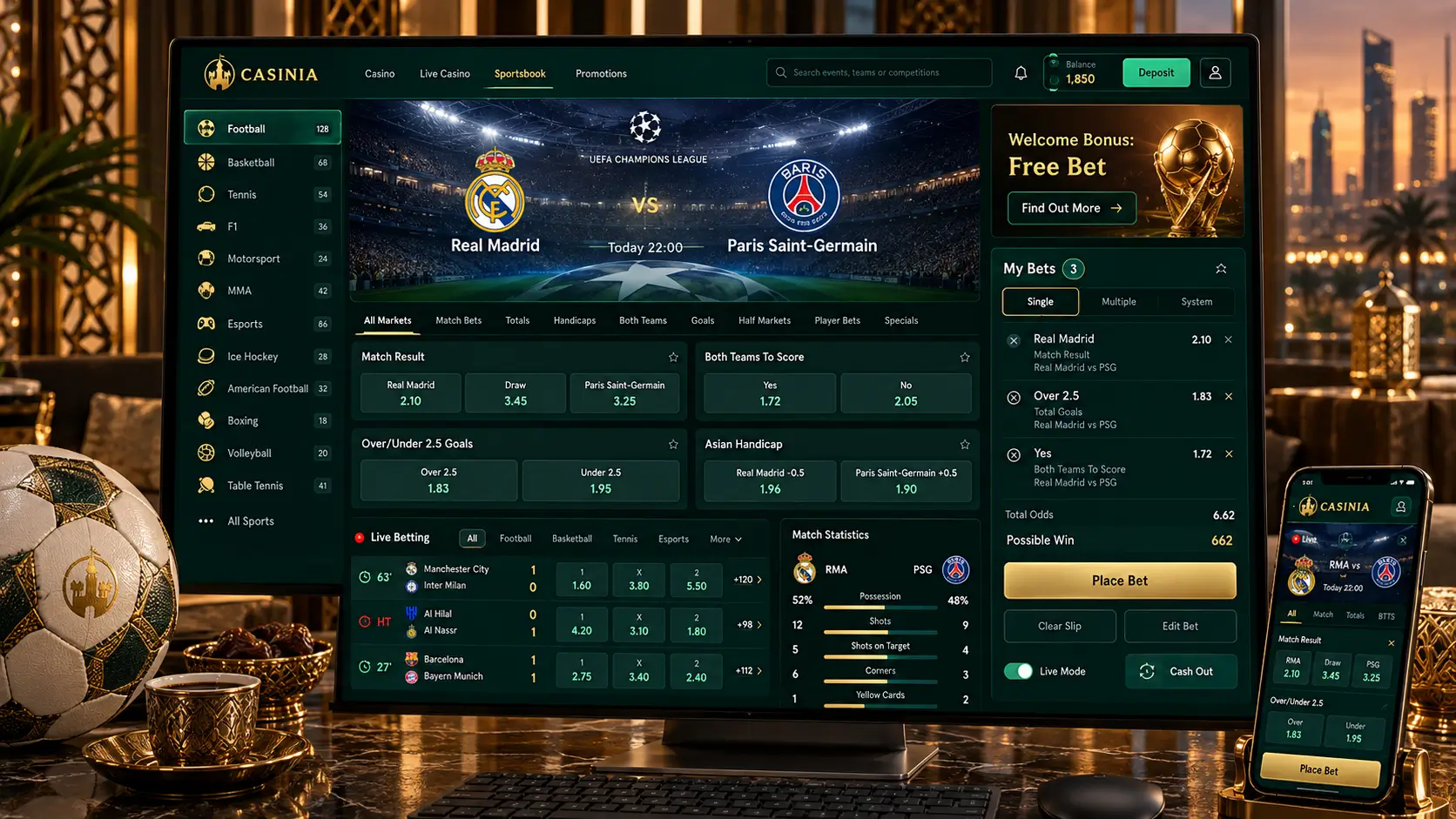
Here’s the short version, with fuller sections further down. On a phone you have the whole platform: the casino lobby with its fifteen categories, the live casino with dealer-led tables, the jackpots page, and the sportsbook with pre-match and live betting. Promotions, the cashier and support are there as well. Whether you use the Android Casinia app, the iOS shortcut or the browser, it’s one account and one balance throughout.
Updates work differently on the two platforms. The shortcut always opens the current site, so there’s nothing to do. An app installed from an APK is a separate program, and when a newer version is released, the safe place to get it is the same official download page you used the first time. As for problems, most of them come down to a weak connection, a mistyped login or an installation the phone has blocked – all of which are covered in the troubleshooting table at the end of this page. If you get stuck before then, live chat is the quickest way to an answer., as long as you pick the right network. Kuwaiti bank cards often get refused, so those two routes are the calmer choice.
Casinia App Download for Android
Now the Android installation in detail. One note of honesty first: the steps below are the standard way an APK is installed on Android, and the wording of the prompts varies a little between phone makers and Android versions. If the official download page gives its own instructions, follow those.
- Open the official Android download page, reached from the operator’s own site;
- Tap the download button and let the APK file finish downloading;
- If Android asks, allow your browser to install apps from this source – this is a one-time prompt;
- Open the downloaded file from the notification or your Downloads folder and tap Install;
- When it’s finished, open the app and log in with your usual details.
That completes the Casinia app download on Android. A few practical notes may help. The permission in step three applies only to the browser you used, and you can switch it off again afterwards in your phone’s settings – a tidy habit once the installation is done. If the file won’t open, check that the download actually completed and that your phone has enough free storage. And if you use a second Android device, repeat the process there; the Casinia casino app signs in with the same account on each.
It’s worth pausing on step one, because it’s the step that keeps you safe. The file should come from the operator’s official page and from nowhere else – not from a file-sharing site, not from a link in a message. We come back to this in the next section. For now, if you’d like the Casinia app on your Android phone, set aside five quiet minutes, make sure you’re on Wi-Fi, and start with the official page. Once the Casinia app download is finished, the app will be waiting among your other apps.
Casinia APK: Verify Official Availability
An APK is a real program, and once installed it runs with whatever access you grant it. That’s why the source matters so much. The operator offers the Casinia APK through its own Android download page, and that page is the only place we’d suggest taking it from. Copies of the file circulate elsewhere, as they do for any known brand, and there’s no way for you or us to know what’s inside them. A minute spent checking is well worth it:
- reach the download page from the operator’s own site, not from a search advert or a forwarded link;
- look at the address bar before you tap the download button, and make sure it’s the official page;
- be cautious if the file asks for permissions that a gaming app has no reason to need;
- if you’re unsure whether a page or file is genuine, ask support on live chat before installing;
- never install a file that someone has sent you directly, however helpful they seem.
It’s also sensible to check the current details on the official page itself – which version is offered and what your phone needs to run it – because those can change and we don’t quote them here. If for any reason the official page isn’t offering the file when you visit, don’t go looking for it elsewhere; the home-screen shortcut gives you full access in the meantime. A Casinia app download from the official source is a simple, ordinary installation. From anywhere else, it’s a risk to your account, and it simply isn’t worth taking.
Casinia App for iPhone and iOS

On an iPhone or iPad, the app is set up in three steps, all inside your browser. These come from the official Create Shortcut page, with a few notes of our own added afterwards.
- Open the site in your browser and tap the share icon – the box with an arrow pointing out of it;
- In the menu that opens, scroll down and tap Add to Home Screen;
- Enter a name for the shortcut, and the browser adds it to your home screen.
That’s all there is to the Casinia app on iOS. In Safari on an iPhone, the share icon sits in the bar at the bottom of the screen; on an iPad, it’s at the top. The Add to Home Screen option is a little way down the menu, beneath the suggestions for contacts and apps, so keep scrolling if it isn’t visible at once. If you normally use another browser and can’t find the option, doing this once in Safari is the most dependable way.
Once the icon is in place, one tap opens Casinia with your account ready to log in. You can move the icon, keep it in a folder, or rename it when you create it – a small touch that some people appreciate for the sake of discretion. To remove it, press and hold the icon and delete it; your account isn’t affected. For iPhone users this is the complete Casinia casino app experience, and because it opens the live site, Casinia is always up to date without any effort on your part. Have your phone to hand and try it; the Casinia app will be on your home screen in under a minute.
Create Shortcut and PWA Access
You may have come across the term PWA, or progressive web app, for a website that can be added to a phone and opened like an app. The shortcut works along those lines, though the official page doesn’t use the term – it speaks simply of creating a shortcut, and on Android of installing the site through a link. What matters in practice is how it behaves: the icon opens the mobile site, the site needs an internet connection, and your session belongs to your account, not to the device.
That last point is more useful than it sounds. You can use the shortcut on your iPhone, the Android Casinia app on a tablet and a browser on your computer, all with the same login and the same balance. Removing the shortcut deletes nothing but the icon. And because nothing is stored on the phone, there’s very little for anyone else to find on it. Features such as push notifications or offline play aren’t described on the official page, so it’s best not to count on them. If you value a light footprint over extra features, the shortcut is a calm, sensible way to keep Casinia within reach – and it’s worth trying even if you later choose the full Casinia app download on Android.
Casinia Casino Games on Mobile

The casino lobby on a phone has the same categories as on a computer. When we checked, there were fifteen, among them Slots, New, Popular, Top, Megaways, Bonus Buys, Instant Games and Table Games, supplied by more than a hundred studios. On a small screen the search field is the quickest tool by far: it accepts game titles, categories and provider names, which saves a great deal of scrolling. Each game card carries Play and Demo buttons, so a title can be tried on virtual credits before any deposit.
The live casino is included in the Casinia casino app as well, with dealer-led roulette, blackjack, baccarat, poker and game shows, and an International tables category that features tables hosted in Arabic. Live games are video streams and ask more of your connection than slots do, so Wi-Fi is the steadier choice. Jackpot games have a page of their own, where the current size of each prize pool appears on the game card.
Two things are worth knowing before you play. The operator’s terms list NetEnt games as unavailable in Kuwait, so some well-known titles may not appear. And with the Casinia app always in your pocket, it’s easy for short sessions to add up; no game can promise a result, since every outcome is random. A budget and a finishing time, decided before you open the lobby, are the simplest protection there is. If you’re only looking around, begin with the demo versions – they cost nothing.
Casinia Sports Betting on Mobile
The sportsbook at Casinia is part of the same mobile platform, under two menu entries: Sports for pre-match betting and Live Betting for events already under way. The site’s menu names football, tennis, table tennis, basketball, ice hockey, American football and baseball, and the full programme is shown inside the sportsbook. The Help Centre describes placing a bet in five steps – open the sportsbook, choose an event, pick a market, enter a stake, press Place Bet – and says odds can be shown in decimal, fractional or American format.
Some points matter more on a phone than on a computer. Live odds change within seconds, so a stable connection is essential when you’re betting in play through the Casinia app. Live streaming isn’t provided, so the match itself has to be followed elsewhere. A Cashout function lets some bets be closed early, and the minimum stake is $0.10. And the terms state that a bet can’t be cancelled or changed once it’s placed – on a touchscreen, where a slip of the thumb is easy, that’s a good reason to read the bet slip twice. If sports betting interests you, watching how the odds move through one match is a sensible way to start.
Mobile Security, Updates and Support

A phone travels with you everywhere, so a few careful habits go a long way:
- keep the screen locked with a PIN, fingerprint or face recognition;
- don’t let the browser or the phone save your password if others use the device;
- sign out when you finish, especially on a shared phone;
- avoid public Wi-Fi for deposits and withdrawals;
- install or update the Android app only from the official download page.
The operator states that sensitive data is encrypted and that customers’ funds are kept separately from its own. On updates, the shortcut needs none; for the Android Casinia app, a newer version should be taken from the same official page as the first one. And for the everyday hiccups, this table covers the usual cases.
| Problem | What to try |
| The APK won’t install | Check that the download finished, that there’s free storage, and that installation from your browser is allowed |
| The app or shortcut won’t load | Check your connection, then try the site in the browser |
| Add to Home Screen is missing on iPhone | Open the site in Safari and scroll further down the share menu |
| Login fails | Check your username or email and the capital letters in your password |
| Login fails after a password change | Clear the browser’s cookies and cache, or use another browser |
| Nothing helps | Contact support and attach a screenshot of the error |
Support at Casinia is available 24 hours a day on live chat and by email at [email protected], and the Help Centre has a Technical topic for questions like these. To sum up: the Casinia app download for Android is an APK from the official page, and on iPhone the Casinia casino app is a home-screen shortcut set up in three steps. One last reminder. Gambling can be addictive, a break or self-exclusion can be arranged through support, and no app changes the odds. Please confirm that this kind of activity is permitted in your jurisdiction before you register, deposit or play – and if you do complete a Casinia app download, decide on your own limit before you open Casinia for the first time.